Recurring reminders: how to manage hidden complexity
"Add a reminder every Tuesday." Six words. Easy to say. But behind that phrase lies one of the most underestimated problems in app development: recurrence rules. I've spent entire days dealing with edge cases that no one anticipates until they encounter them.
Key takeaways:
- Recurring reminders seem simple but hide enormous complexity (managing unequal months, time zones, exceptions).
- Hybrid storage (rule on the parent, occurrences generated on demand) is the best performance/flexibility compromise.
- Progressive UX — simple by default, powerful as an option — is key to not losing any users.
- A good recurrence system requires at least 4 types of rules and robust handling of edge cases.
Why are recurring reminders so complex to implement?
When you think "recurring reminder," you probably imagine a simple setInterval or a cron job. The reality is much more twisted. TAMSIV supports four types of recurrence: daily, weekly, monthly, and custom. The daily case takes 10 minutes to code. The case "the last Friday of each month"? Days.
The fundamental problem is that the calendar is not regular. Months have 28, 29, 30, or 31 days. Weeks overlap months. Leap years exist. And time zones add an extra layer of chaos.
As a solo developer for TAMSIV, I had to make critical architectural decisions from the start to avoid refactoring everything later.
How to handle the "31st of each month" problem?
This is the classic case that every calendar developer dreads. The user creates a reminder on January 31st with monthly recurrence. What happens in February? In April?
Three approaches exist:
- Skip the month: no reminder in February. Bad UX — the user thinks it's a bug.
- Shift to the last day: the reminder moves to February 28th (or 29th), April 30th, etc. This is intuitive.
- Force the 1st of the next month: logical for some cases, but confusing.
I chose option 2 — the automatic shift to the last day of the month. Why? Because that's what the user expects without thinking about it. When someone says "every month," they mean "roughly on the same date each month." Pragmatism beats mathematical rigor.
This choice has a direct impact on the code. For each occurrence, I first calculate the theoretical date, then I check if it exists in the target month with Math.min(originalDay, lastDayOfMonth). Seemingly simple, but it must be done for each generated occurrence.
What is the best storage model for recurring events?
This is the key architectural question. Two schools of thought clash:
Option A: store all occurrences. You generate 365 rows in the database for an annual daily reminder. Advantage: simple queries. Disadvantage: database explosion and modification complexity (changing the reminder time = modifying 365 rows).
Option B: store only the rule. You keep "every Tuesday at 9 AM" and calculate on the fly. Advantage: lightweight database. Disadvantage: complex queries to know "which reminders fall this week?".
I opted for a hybrid model in TAMSIV: the recurrence rule is stored on the parent event, and occurrences are generated on demand. When a reminder is converted into a calendar event — for example, via the agenda system with filters — a concrete occurrence is created in the database.
Specifically, the database structure looks like this:
- Parent table: contains the title, description, and a JSON field with the recurrence rule (
type,interval,daysOfWeek,endDate) - Occurrences table: created on demand when the user interacts (completes, postpones, modifies)
- Dynamic calculation: for calendar display, future occurrences are calculated client-side
This hybrid model avoids N+1 queries while keeping the database under control. With the optimized cache system, performance remains excellent even with hundreds of reminders.
How to create a recurring reminder by voice?
One of TAMSIV's unique advantages is that you can create complex reminders by speaking naturally. The AI voice pipeline analyzes your phrase and automatically extracts the recurrence rule.
Concrete examples:
- "Remind me to water the plants every 3 days" → custom recurrence, 3-day interval
- "Team meeting every Monday and Wednesday at 10 AM" → weekly, specific days
- "Pay rent on the first of each month" → monthly, fixed day with edge case management
- "Marie's birthday on March 15th every year" → annual
The LLM (via OpenRouter) breaks down the phrase into structured intentions. The create_calendar_event function then receives an object with the recurrence parameters already extracted. The user only has to validate — or modify — before saving to the database.
This is the strength of the integrated voice recorder: making technical complexity invisible to the end user.
What are the pitfalls of time zones with reminders?
If you think irregular months are annoying, wait until you see time zones. A daily reminder at 9 AM triggers at 9 AM local time. But what is "9 AM local time" when the user travels? When daylight saving time changes?
Two possible strategies:
- Store in UTC and convert on rendering: clean but problematic for "9 AM every day" (which can become 8 AM or 10 AM depending on the season)
- Store in local time with timezone: more faithful to the intention but more complex to manage in the database
In TAMSIV, I opted for storing in UTC with the user's reference time zone. When an occurrence calculation falls on a daylight saving time change day, the system adjusts to keep the local time stable. This is the behavior users expect from Google Calendar or Apple Calendar.
How to design reminder UX without overwhelming the user?
The UX challenge is just as important as the technical challenge. How to present potentially complex recurrence rules without losing the casual user?
The answer: progressive disclosure.
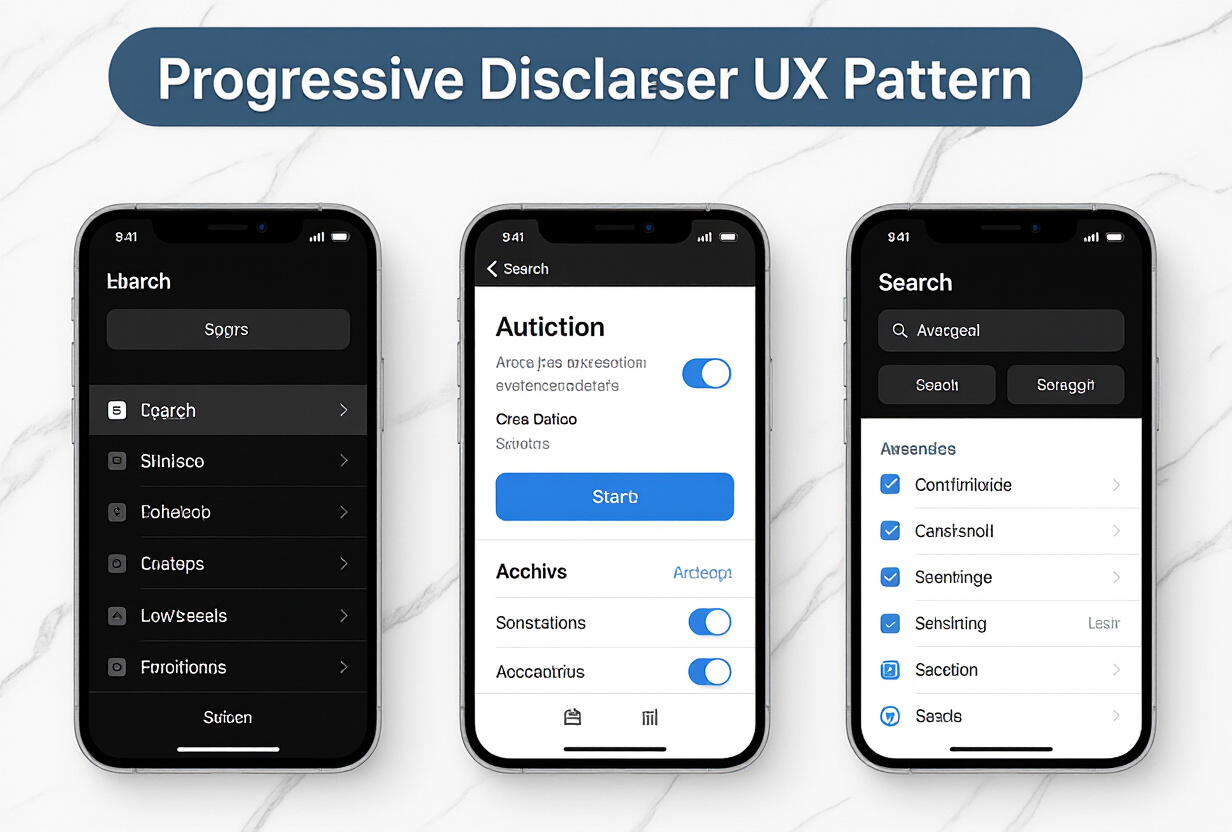
Here's how I implemented it in TAMSIV:
- Level 1 — 4 simple buttons: Every day, Every week, Every month, No recurrence. Covers 80% of needs.
- Level 2 — Advanced panel: accessible via "Customize". Selectable days of the week, custom interval (every N days/weeks/months), optional end date.
- Level 3 — Complex cases: "The last Friday of the month", "The 2nd Tuesday of each month". Specialized interface for these rare rules.
The guiding principle: simple by default, powerful as an option. The casual user should never feel lost. The advanced user should never feel limited. This principle also guides the app's onboarding system.
I also implemented swipe navigation on reminder screens to streamline the experience.
What's the difference from Google Calendar or Todoist reminders?
Existing solutions like Todoist or Google Calendar handle recurrences well. But they all have the same flaw: manual entry.
With TAMSIV, voice creation fundamentally changes the equation. Saying "remind me to send the report every Friday at 5 PM" is incomparably faster than navigating through 3 menus to configure the same thing manually.
Moreover, the gamification system rewards the completion of recurring reminders, creating a virtuous cycle of productivity. Each completed recurring task fuels your streak and brings you closer to the next level.
What lessons can be learned from implementing recurrences?
After coding this system, here are the lessons I've learned:
- Don't underestimate edge cases: the "31st of the month," leap years, time changes — each case seems rare individually, but collectively they affect thousands of users.
- Test with real data: unit tests are not enough. You need to simulate an entire year of occurrences and visually verify.
- The hybrid model is the right compromise: neither all-in-database nor all-calculated. The mix offers the best of both worlds.
- Progressive UX saves lives: hiding complexity behind levels of detail is the only viable approach for a consumer app.
If you're developing a productivity app or a calendar system, never underestimate recurring reminders. What seems like a 2-day feature can easily take 10.
FAQ
How many recurrence types does TAMSIV support?
TAMSIV supports four main types: daily, weekly, monthly, and custom. The custom mode allows you to define any interval (every N days, specific days of the week, etc.) and covers advanced cases like "the last Friday of the month."
Can you create a recurring reminder by voice?
Yes, that's even one of TAMSIV's strengths. You can say "remind me to send the report every Monday at 9 AM" and the AI automatically understands the recurrence type, day, and time. You just need to validate for the reminder to be created.
What happens if a monthly reminder falls on a day that doesn't exist?
TAMSIV automatically shifts the reminder to the last day of the month. For example, a reminder on the 31st will be moved to the 28th or 29th in February, and to the 30th in April, June, September, and November. This is the most intuitive behavior for the user.
Do recurring reminders work with gamification?
Absolutely. Each completion of a recurring reminder earns experience points and fuels your daily streak. It's an excellent way to maintain a productive routine and stay motivated long-term.
How to modify or delete a single occurrence of a recurring reminder?
You can modify or delete a specific occurrence without affecting others. The system then creates an "exception" for that date. The rest of the series continues normally according to the defined rule.