Shared shopping list for a family of four: one binder for meals, batch cooking, and Sunday market
Friday evening, six-thirty. The kitchen still smells of bread cooling on the table. The fridge is open, the eldest inspects it, the older child sticks a Post-it note on it where she's written "milk, pasta, grated cheese, and something for Leo's snack on Monday." Upstairs, the partner asks through the stairwell if they need to buy more coffee capsules and shampoo. At the same moment, a neighbor sends a WhatsApp message: she's passing Auchan tomorrow morning, should she pick anything up? The phone vibrates, no one answers. The Post-it falls behind the fridge. Saturday morning, they'll go grocery shopping without a list, they'll buy three jars of mustard when two were still full, they'll forget the bread for the week, and on Monday lunchtime, Leo's snack will be missing.
The problem with a shared grocery list for a family of four isn't the shopping cart. The cart fills up in thirty minutes. The problem is the thirty small pieces of information circulating in parallel between Wednesday evening and Saturday morning, across five different mediums (fridge, partner's phone, teenager's phone, the short memory of the parent who didn't have time to write it down, WhatsApp conversation with the neighbor), which never converge in the right place at the right time. What fails is the upstream coordination, never the purchase itself.
Key points
- A family of four generates, on average, between twenty-five and forty-five weekly grocery items, spread over three distinct moments (while cooking on Wednesday evening, when opening the fridge on Friday, when tidying the bathroom on Saturday morning), with at least three contributing individuals.
- A single shared binder with four subfolders (Grocery List, Weekly Meals, Favorite Recipes, Sunday Batch Cooking) covers the four mental piles of family meal organization, leaving nothing to languish on a Post-it behind the fridge.
- Voice dictation captures the item the moment it's identified (when opening the fridge, passing an empty bathroom, coming home from sports), in three seconds, without interrupting what you're doing. The partner sees the list update in real-time.
- Access levels allow teenagers to add their wishes (Leo's snack, deodorant to buy) without seeing the budget or adult household notes, and to temporarily share with a neighbor or grandparent passing by the supermarket without exposing everything.
- The pattern directly translates to Sunday batch cooking, family meals with fifteen guests, impromptu Saturday evening aperitifs, and the "who brings what" for picnics with friends.
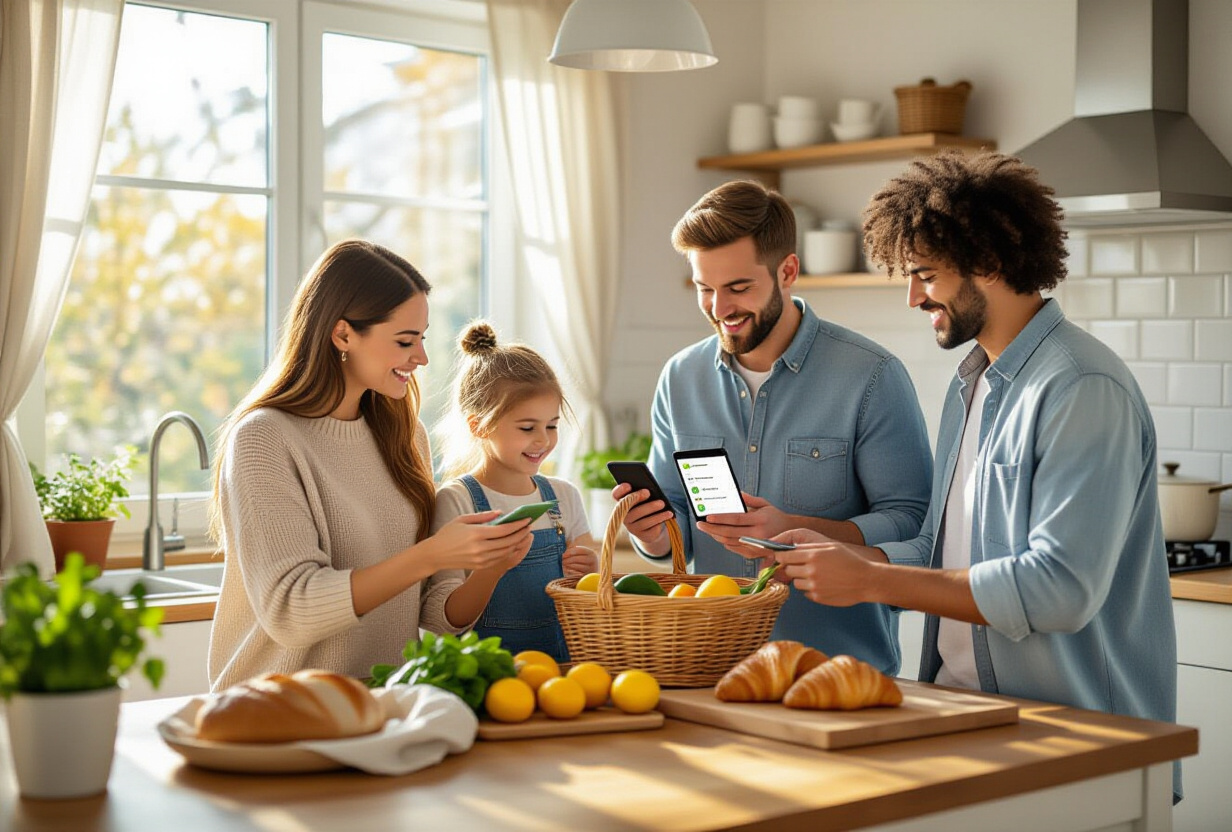
Why does a shared grocery list always fail on coordination, never on the shopping cart?
Ask any parent who shops for four. The answer is always the same. The supermarket takes thirty minutes. What costs time and mental energy are the four days before, when each family member discovers something is missing at a different time, in a different room, and the information never synchronizes.
The nature of the problem is simple. A family of four generates between twenty-five and forty-five grocery items per week, spread over at least three observation sessions (Wednesday evening when preparing dinner, Friday morning when opening the fridge, Saturday when tidying the bathroom). Added to this are the "oh, by the way" from children talking about snacks for Monday, sports activities requiring an extra water bottle, weekend guests changing the planned menu. Three or four people contribute, each at a time when they don't have their phone handy to write it down somewhere central.
In typical tools, dispersion is maximal. A Post-it on the fridge where the mother starts the list by hand, another in the partner's pocket who noted three things on a receipt, a "Family" WhatsApp group mixing groceries, school pick-ups, and funny videos, the phone's native app that the teenager has never opened, an iMessage conversation between parents when one is at the supermarket sending photos of aisles. And every week, twenty to forty minutes are lost recompiling what was never centralized.
The result is tangible. Three jars of mustard bought when two are already open. No bread for the week because no one thought to put it on the list. Leo's snack forgotten because the eldest wrote it on a Post-it that fell. Two supermarket trips in the week instead of one. Five euros wasted here, ten euros there, and above all, two hours a week of mental friction over something that should be trivial.
What folder structure for organizing groceries, meals, and batch cooking for a family of four?
The central idea is to replace this dispersion with a single shared space, structured into subfolders that correspond to the mental piles of meal organization. In TAMSIV, the recurring pattern in user feedback for this case is a main binder named by household ("Family Kitchen", "Dubois Household", or simply "Groceries"), with four subfolders.
🛒 Grocery List: The current list for the next supermarket trip. Each household member freely adds items by voice the moment they identify a need. "Add grated cheese to the grocery list" when opening the fridge on Wednesday evening. "Add deodorant and shampoo" when passing through the bathroom. Items are checked off in real-time at the supermarket. When one parent passes the pasta aisle and checks it off, the partner who is at the meat aisle at the other end of the store sees the box checked within a second, avoiding duplicate purchases.
🍽️ Weekly Meals: The planned menu from Monday to Sunday. One memo per day, or a weekly checklist with one item per meal. "Monday lunch: pasta carbonara. Tuesday evening: homemade pizza. Wednesday: leftovers from yesterday. Thursday: fish. Friday: dinner at parents'." Missing ingredients for these meals are dictated directly into the Grocery List, without having to switch screens. The menu visible to the whole family avoids the daily question "what's for dinner tonight" that comes up five times a week.
📖 Favorite Recipes: The recipes that really work in the family, sorted by subcategories (quick twenty minutes, Sunday batch cooking, kids' specials, Sunday dishes). Each recipe is a memo with the ingredient list, steps, variations depending on what's on hand, and an honest note after each try. No more lost PDFs, no more blog screenshots never found again.
👨🍳 Sunday Batch Cooking: The Sunday afternoon session that prepares four or five meals in advance for the week. A detailed checklist per preparation. "Pumpkin soup: peel, cook thirty minutes, blend, store in jars. Tomato sauce: onion, garlic, canned tomatoes, cook twenty minutes. Cooked rice for two lunches. Oven-baked chicken for Tuesday evening." As items are checked off, partners follow the progress without needing to ask, they know when to help without getting in the way.
Four piles, four folders, nothing left to languish on a Post-it behind the fridge.
How to coordinate two adults at the supermarket in real-time without sending ten text messages?
This is the most common and powerful use of the shared list. On Saturday morning, the couple decides to split up in the store to go twice as fast: one takes the fruit-vegetable and butchery aisle, the other takes dry groceries and hygiene. Each opens the list on their phone. When one checks off grated cheese, the other sees the box checked within a second and knows they can skip the dairy aisle. When the other realizes Greek yogurt is out of stock, they add "plain kefir" as an alternative, the first one sees it and picks it up.
No screenshots to send via WhatsApp. No "did you get the bread?" shouting across the aisle. No duplicates. Synchronization is in real-time, the supermarket is treated as a fifteen-minute mini-collaboration between two people, and everyone goes home without having forgotten what was written two days earlier.
The same principle applies to solo shopping, when one parent is alone and the partner adds items live from home. "I forgot, get some laundry detergent if you think of it." The item appears on the list while the parent is in the bread aisle, they see it, they make a detour. No text, no call, no interruption of flow. Just an item appearing at the top of the list with a small indicator "added one minute ago by partner."
How to involve children or teenagers in coordination without giving them full access?
This is where the access levels, launching at the end of April, become fully relevant in a family context. Children old enough to have a phone (from eight or nine for some families, thirteen or fourteen for others) want to participate. They are half of the beneficiaries of groceries (snacks, school supplies, hygiene products) and have preferences that parents forget. But you don't want to expose them to the family budget, household medical notes, or birthday gift lists in preparation.
The pattern that works for a household with teenagers:
Both partners receive Total access to the entire binder. They add, check, delete, create new subfolders at will. No hierarchy between them, it's the couple's kitchen.
Teenagers receive Edit access to the Grocery List and Weekly Meals subfolders only. They add their deodorant, their favorite shampoo, their Monday snack, check off what they consume, suggest a meal for Wednesday evening. They don't see the couple's Favorite Recipes subfolder (which may contain more personal notes), nor the Batch Cooking subfolder (where adult organization takes place).
A neighbor or grandparent who offers to go to the supermarket receives Read access to the Grocery List only, for the duration of their errand. They see what's missing, can ask for clarification in comments ("which brand of yogurt do you want?"), but don't see recipes, the weekly menu, or teenage lists. Once the errand is done and groceries are brought back, access is removed in two clicks.
This granularity changes usage. Before, one hesitated to invite someone to a shared tool because it exposed too much. As a result, they didn't share, and the neighbor left without doing anything. With Read access to a single subfolder, the invitation is light, temporary, hassle-free, and the neighbor leaves with a useful list.
How to keep a living recipe journal that doesn't die like a Google Doc?
The Favorite Recipes subfolder deserves a special mention. Most families have tried a Google Doc, Notion, a paid recipe app, and all these tools died after three months. The reason is always the same. Entering a recipe requires disproportionate effort compared to its frequency of use. You don't write down the recipe while cooking, you promise to do it "later," and later never comes.
The pattern that works is voice dictation while cooking. "Create a recipe: Marc's carbonara pasta. Egg yolks and whites, bacon, parmesan, pepper, pasta. Note: do not add cream, that's why the kids don't like the restaurant version. Cook ten minutes." The assistant creates the memo, files it in Favorite Recipes, and the recipe is captured while it's being made, not after.
As you try variations, you dictate them. "Add to carbonara pasta recipe: works very well with thin spaghetti, not with penne." The assistant adds the associated memo. The recipe lives, enriches itself, doesn't die in an unmaintained PDF.
And the assistant's contextual memory plays its role. "There are four of us at home, we don't like cream, the eldest is a part-time vegetarian, the youngest has lactose intolerance." Once. The assistant remembers it. When you dictate "suggest a balanced meal for Friday evening," it already knows how to adapt without you having to repeat the context.
How to apply this pattern to aperitifs, family meals, and picnics with friends?
The "Family Kitchen" binder is the basic case, but the shared binder + checklist + access levels mechanism can be duplicated for all collective food-related moments. And this is where TAMSIV distinguishes itself from a simple grocery list app: you're not limited to a single list, you have a system that unfolds according to situations.
For a family meal with fifteen people on Sunday lunchtime, you duplicate the binder as "Grandma's Easter Meal", keep the basic structure, open an "Contributions" subfolder where each guest adds what they're bringing (starter, main course, cheese, dessert, wine, bread), give temporary Edit access to the whole family, and avoid the recurring triple lemon tart.
For a picnic with friends on Saturday lunchtime in the park, you create a "Saturday Park Picnic" binder, open a "Who brings what" checklist, everyone checks off what they're responsible for in real-time, and no one buys six bags of chips. Access levels allow you to invite the group of friends without them seeing the family's other binders.
For Sunday afternoon batch cooking, you rely on the dedicated subfolder in the Family Kitchen binder, dictate the checklist as you start peeling, check off items as you go, and three hours later the kitchen is clean and the week is set without ever having to remember what was left to do.
For an impromptu Saturday evening aperitif, you create a mini voice list in five seconds, "aperitif tonight: olives, chips, red wine, cheese," check it off at the supermarket ten minutes later, and the item disappears once used.
The transferable pattern is: one binder per context, subfolders per mental pile, access levels that open and close according to guests, and voice dictation that captures what happens the moment it happens. No pure grocery list app does this, because they are designed for a single list, not for the nuance of real-life family kitchen situations.
Frequently Asked Questions about a Family's Shared Grocery List
How many people can share the same Family Kitchen binder?
TAMSIV's free plan allows up to five members in a shared binder, which covers almost all family configurations. The Pro plan opens up to ten members for extended families or house-shares, and the Team plan goes up to twenty-five for associations or organizations that share a common food budget (choirs, sports teams, party committees).
Does it work offline at the supermarket if I don't have network coverage?
Reading and checking off items works offline. When the phone regains network, the checks synchronize. Concretely, in an underground supermarket where 4G doesn't work, you check off items calmly, and the shared update happens when you leave the parking lot. Voice dictation, however, requires a connection for the transcription engine.
How to prevent teenagers from adding twenty useless sweets to the list?
Edit access allows them to add, but the parent with Total access can delete or comment ("we already have three jars, we're not buying any until next week"). In practice, the simple fact that teenagers see their additions appear in a central list (and not get lost in a WhatsApp conversation) greatly reduces opportunistic requests, because they see the result of their addition and the conversation becomes anchored.
Can the food list and the hygiene/household list be separated?
Yes, two options. Either keep a single "Groceries" list with items prefixed by category (advanced users add their own tagging), or create two parallel subfolders ("Food List" and "Household List") under the Family Kitchen binder. The second option also allows splitting who goes where: one parent takes care of food at the neighborhood supermarket, the other takes care of hygiene and household items at the large supermarket on Saturday.
Does TAMSIV offer recipes or an integrated meal planner like Cozi or Mealime?
No, and this is intentional. TAMSIV does not suggest recipes for you, nor does it generate pre-made menus by algorithm. The application provides the structure to organize your own recipes, your own menu, your own logic. The reason: pre-made meal planners don't last three weeks in a real family (diets, allergies, leftovers to use, cravings, weekly budget). A simple and adaptable framework is better than a rigid algorithm that you abandon after a month.
Does it work for a blended family or co-parenting?
Particularly well, in fact. Co-parenting multiplies coordination needs (two households, two fridges, two different weekly menus, children going back and forth with or without snacks depending on the day). A "Home Kitchen A" binder shared with the parent and children during week A, a "Home Kitchen B" binder for week B, and teenagers switching between binders depending on the week. Access levels allow each parent to keep their household private while opening the "Grocery List" subfolder if the other parent needs to help out.
Four people, one list, zero forgotten items. This is concretely what a well-structured shared binder brings to a family every Saturday morning. Not one more tool, but a tool that replaces five dispersed mediums with a single one. And it unfolds when needed (Sunday meal, picnic, impromptu aperitif), without having to learn anything new.
TAMSIV is free on Android, real-time sharing and voice dictation are included in the free plan. The iOS version is under development, you can sign up for the waiting list at tamsiv.com.